
RigSpark
I’ll help you choose an open-source AI model that can be run on that machine.
Introduction
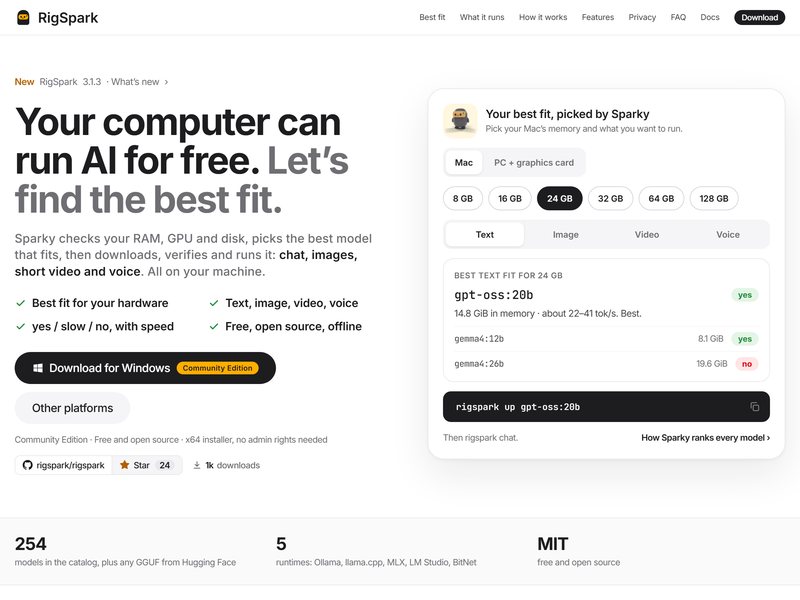
If you want to run large models on your own computer, the first question that usually arises is: Which model can my machine actually handle? RigSpark is precisely designed to answer this question.
Once it is installed, its assistant Sparky will check your memory, graphics card, and hard drive. It will then select the most suitable model from the open-source ones that can run on your device, and proceed to download, verify, and execute it. This process applies not only to chat models but also to image recognition, short-video analysis, and voice processing models. Sparky will also indicate whether each model can be run on your machine, or if it will run slowly, or not at all, along with an approximate speed estimate.
The community version is free and open-source, and can be used offline. Installation packages are available for both Mac and Windows. It is very convenient for beginners who are not interested in learning about quantitative formats or calculating the amount of video memory required; however, those who are familiar with tools like Ollama or LM Studio may consider it unnecessary.
FAQ
What is RigSpark?
I’ll help you choose an open-source AI model that can be run on that machine.
How do I use RigSpark?
Click the "Visit Site" button on this page to open the official RigSpark website, then follow its on-screen instructions.
Do I need to download or install RigSpark?
RigSpark is accessed online through your browser, so there is usually no local installation. Refer to its official site for details.
Are there similar AI tools?
You can browse comparable AI tools under the same category or tags on this site and pick the one that fits you.