New N8N Chat UI
Create a chat window for the n8n workflow without writing any code.
Introduction
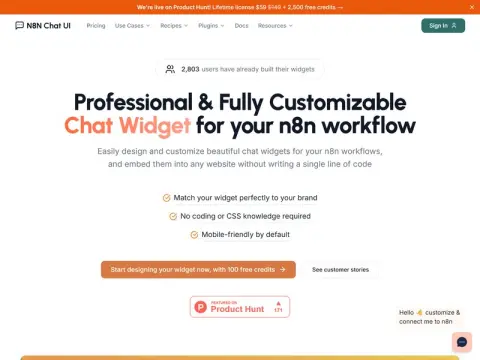
The N8N Chat UI is a tool designed specifically for n8n users to create chat components. After you have set up the workflow for AI customer service or knowledge base answering within n8n, the next step often involves figuring out how to integrate these components into a website in a way that looks professional and attractive. This tool is precisely designed to help with just that task.
It offers a visual editor that allows users to customize colors, avatars, welcome messages, and button menus according to their brand requirements. Once the customization is completed, a snippet of embed code can be generated and added to the website without the need to write any code. The official website provides numerous ready-to-use examples: integrating lead collection systems with HubSpot, Airtable, and Google Sheets; scheduling appointments using Cal.com and Calendly; managing order inquiries via Shopify and WooCommerce; as well as accessing answers to common questions in the Supabase knowledge base. Plugins are available for WordPress, Webflow, and Wix, and npm packages as well as n8n nodes are also provided.
The official website indicates that more than 2,800 users have already utilized these components, and they can start using them for free. These tools are ideal for small and medium-sized enterprises that are already using n8n for automation purposes, as well as developers who receive client requests and need to implement automated solutions.