tday.com
Programming intelligent agents to automatically record product demonstration videos
Introduction
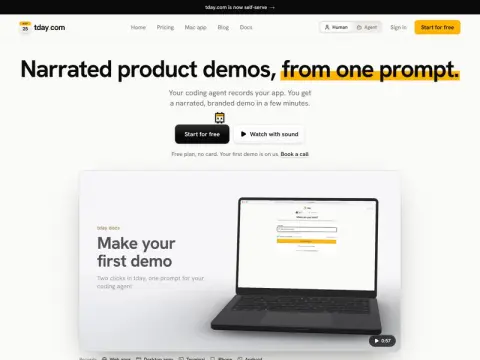
To create a demonstration video with explanations for your own application, you usually need to write a script, record the screen, edit the footage, and add voiceover – all of which can take an entire afternoon. However, tday.com adopts a different approach: it entrusts this task to programming intelligent agents.
You simply paste a given prompt into Claude Code, Cursor, or Codex. The intelligent system will then use MCP to access tday.com and launch a copy of the application on your local device. You proceed to follow the steps outlined in the documentation while recording the entire process. Once the recording is complete, you upload it to tday.com, which will handle tasks such as adding narration, dubbing, subtitles, adjusting camera zoom levels, and highlighting mouse pointers. Within a few minutes, tday.com will provide you with a sharing link. Additionally, the system will automatically retrieve your website’s logo, color scheme, and font style, and apply them to the final video to maintain a consistent brand aesthetic.
Web pages, desktop applications, terminals, as well as iPhone and Android apps can all be recorded. Before uploading, the system will check whether there are any keys or local environment variables visible in the video footage. There are free packages available; no need to link your card for use. The first demonstration is completely free of charge. This option is especially suitable for independent developers who frequently release new versions of their software but are too lazy to edit the videos themselves.
If you want to use it to create AI-produced short dramas, you can first search for scripts and storyboards on TVLab. There, you will find analyses of popular overseas short dramas, rhythm charts for such formats, as well as inspiration cards with pre-made storyboards – you can simply copy these materials and use them as guidelines.