
Farol
A Mac terminal where multiple programming agents run in parallel.
Introduction
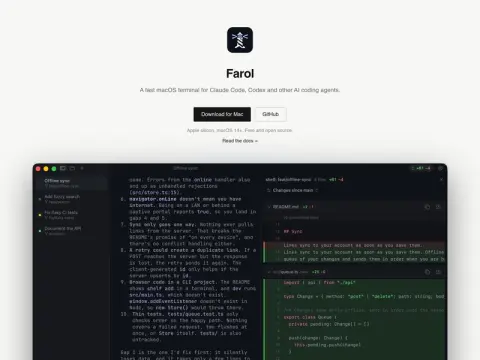
In the afternoon, three Claude Code sessions and one Codex were opened simultaneously. Ten minutes later, you would no longer be able to remember which window was waiting for you to press the “y” key. Farol is precisely designed for such scenarios – it is a macOS terminal tailored for this kind of usage.
Press ⇧⌘N to describe the task and select a proxy. Farol will create a separate git worktree and new branch for each task, allowing multiple proxies to modify code simultaneously without interfering with each other’s files. When a session requires your attention, the corresponding icon turns yellow, and the system sends a notification; the number of pending tasks is also displayed on the Dock icon. Even when switching to another application, you can still check the status of each proxy through the menu bar or the panel at the top of the screen. Once the work is completed, you can view the differences, commit changes, and push them directly to GitHub or GitLab by initiating a pull request within the application itself.
At its core, it is built upon libghostty and will utilize your existing Ghostty configuration settings and themes. It can also be used with other terminal-based proxies, allowing you to monitor their status through command-line commands or terminal notifications. This solution is only compatible with Apple devices running macOS 14 or later versions. It is open-source under the MIT license and does not offer any paid versions.