GitMind AI

GitMind is a cross-platform AI-based mind mapping software that helps you automatically generate mind maps, synchronizes data across multiple devices in real time, and offers a vast range of creative theme styles to choose from. It includes high-quality templates tailored for various industries and fields, making it ideal for creating reading notes, conducting brainstorming sessions, recording inspirations, managing product design processes, and organizing information.

Introduction

GitMind is a cross-platform AI-based mind mapping software that helps you automatically generate mind maps, synchronizes data across multiple devices in real time, and offers a vast range of creative theme styles to choose from. It includes templates tailored for various industries and fields, enabling you to use it for tasks such as taking reading notes, conducting brainstorming sessions, recording inspirations, managing product design processes, organizing documents, and overseeing project management.

Main functions

1. AI generates mind maps in just one sentence

In the [My Thoughts] - [AI Intelligent Generation] interface, select [AI Mind Map] and enter your question. For example, “Which industries are unlikely to be replaced by AI in the short term?” AI will generate a complete mind map for you within just a few minutes.

 

2. AI analysis generates mind maps automatically.

In the [My Thoughts] - [AI Intelligent Generation] interface, select [AI Analysis] and upload files in PDF/DOC/DOCX/PPTX format. The AI will automatically extract the content and structure of the document and present it to you in the form of a mind map, making it easy for you to add additional information.
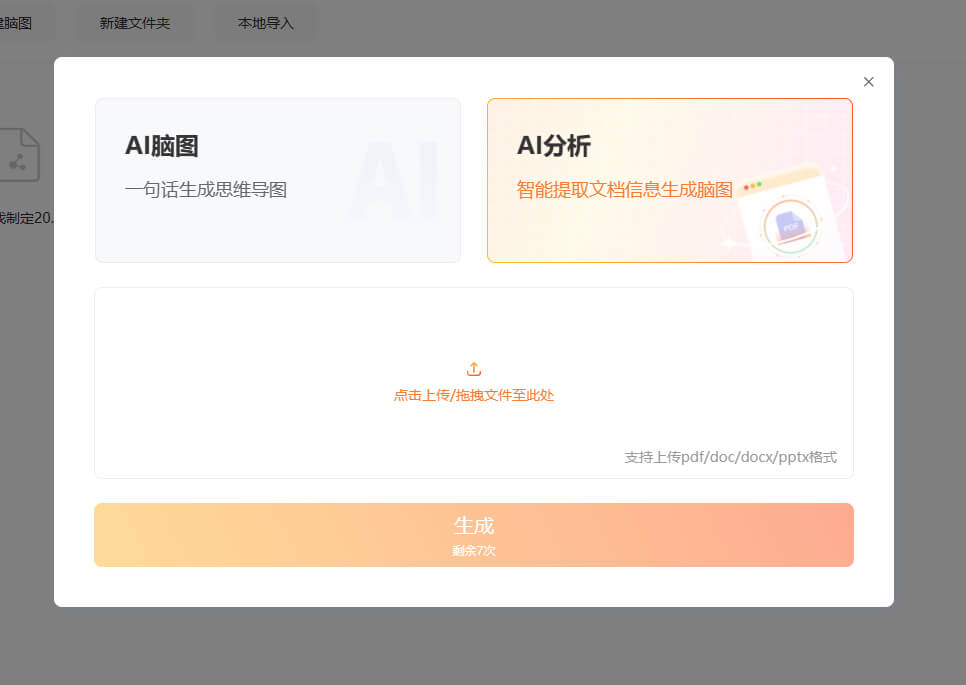
 

3. AI-assisted thinking

During the process of creating a mind map, if you find that your thinking has reached a dead end or if you need more ideas or solutions, simply click on the AI button in the toolbar and choose options such as “Get Answers with One Click”, “Ask Questions with One Click”, or “Generate a Mind Map with One Click”. The AI will then provide you with some new ideas and approaches.
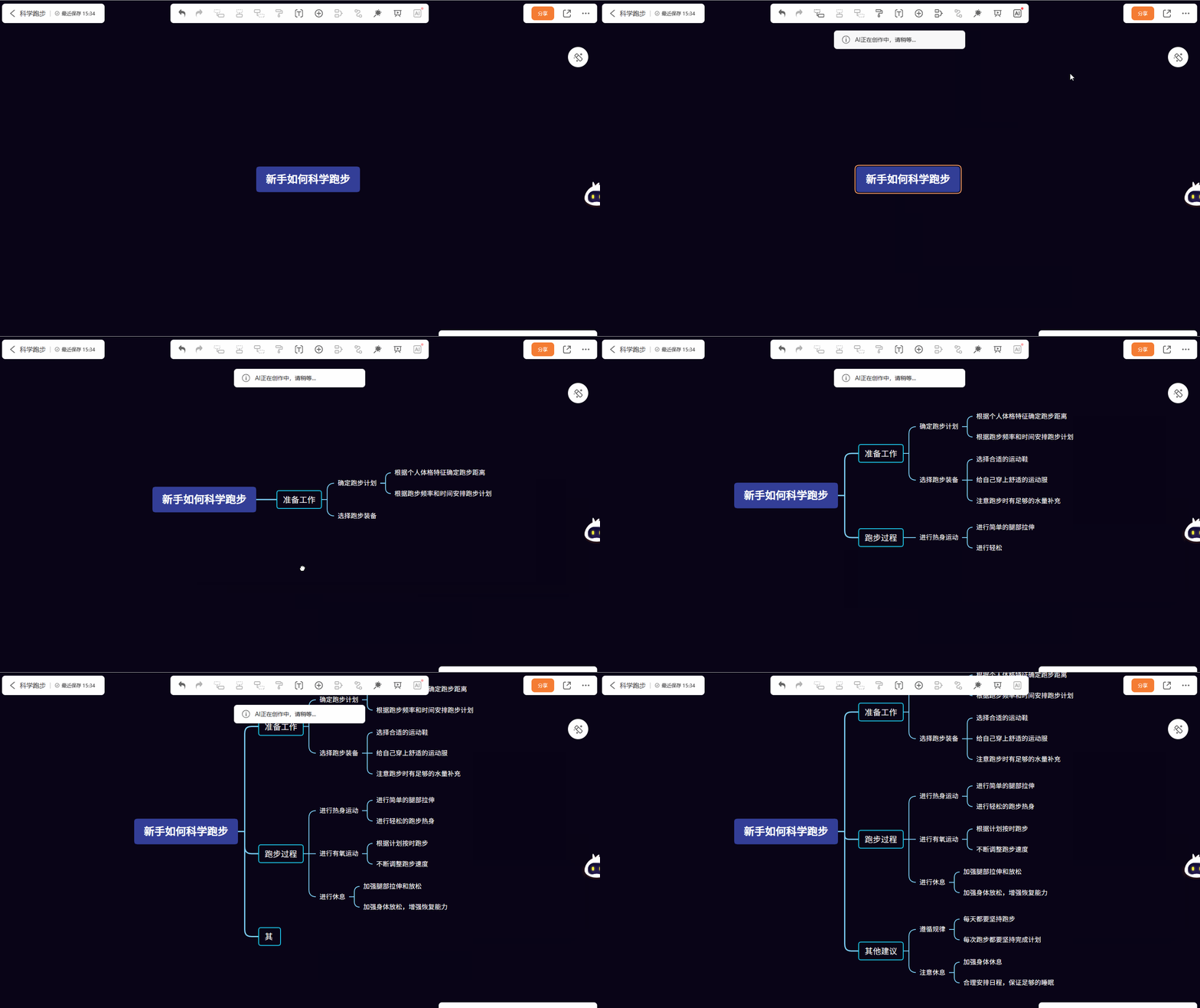
 

4. Ask questions directly to the AI.

On the right side of the mind map creation interface, you will find your intelligent assistant – GitMind AI. Simply enter your question in the dialogue box, and it will provide you with an answer immediately.
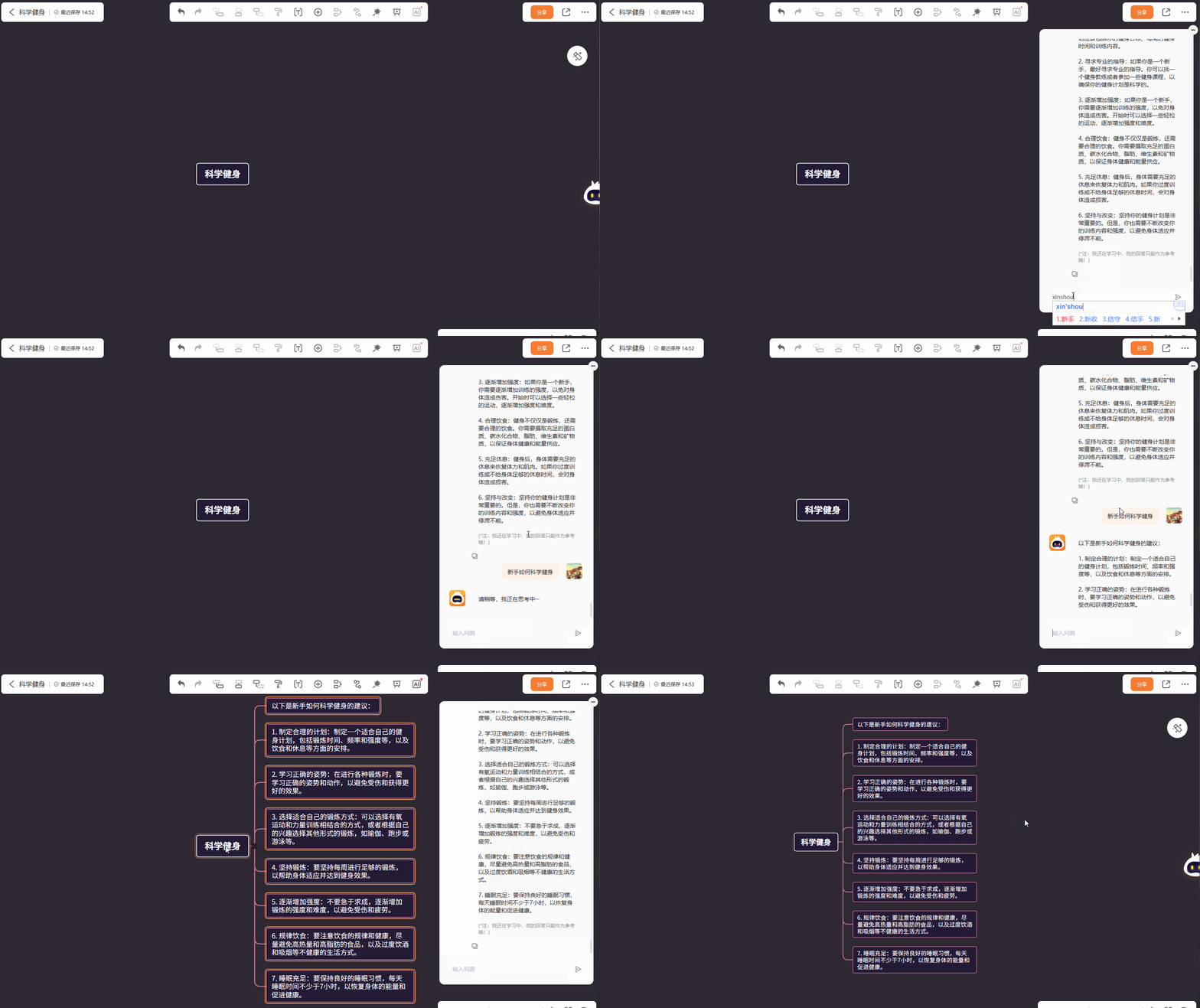
 

5. Automatic synchronization across multiple platforms

On your computer, simply open a browser and search for “GitMind” to use it online. Your data is synchronized in real time in the cloud, so there is no need to download or install anything. On mobile devices such as smartphones and tablets, you can directly download the app from either the Android or Apple App Store. After logging in, your data will be automatically saved in real time, allowing you to edit it anytime, anywhere – which is truly very convenient.

 

6. A vast number of mind map templates

GitMind offers a wide range of mind map templates, covering areas such as reading notes, project management, product design, collection of useful information, and practical resources. Once saved, these templates can be used directly – you can create a mind map in just 3 minutes!
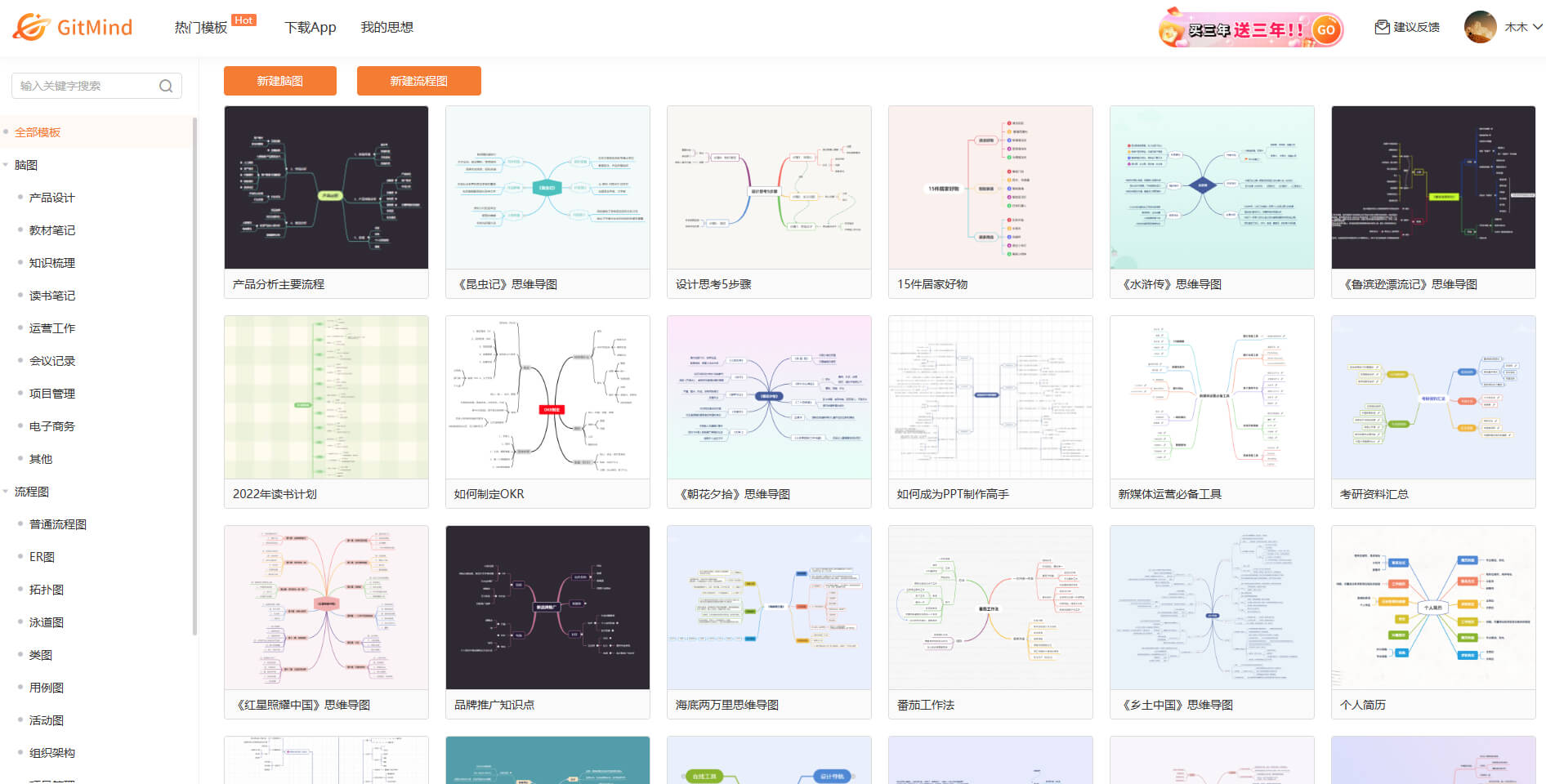
                                

7. Brain mapping for real-time collaboration among multiple people

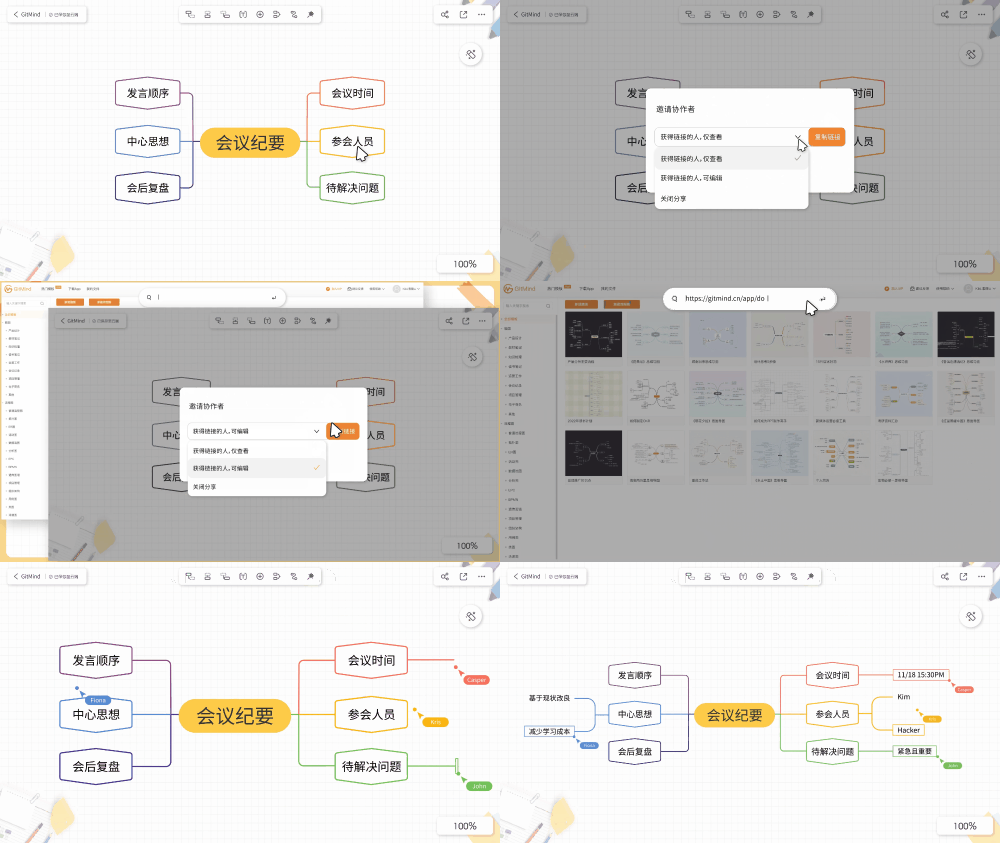
GitMind has recently introduced a real-time collaboration feature. Once documents are shared, everyone can edit them simultaneously. The collaborative content is automatically synchronized to each user’s editing page via the cloud. During the collaboration process, a floating box displaying the username will be visible, allowing you to clearly see the editing progress of each participant.
 

8. Speech mode

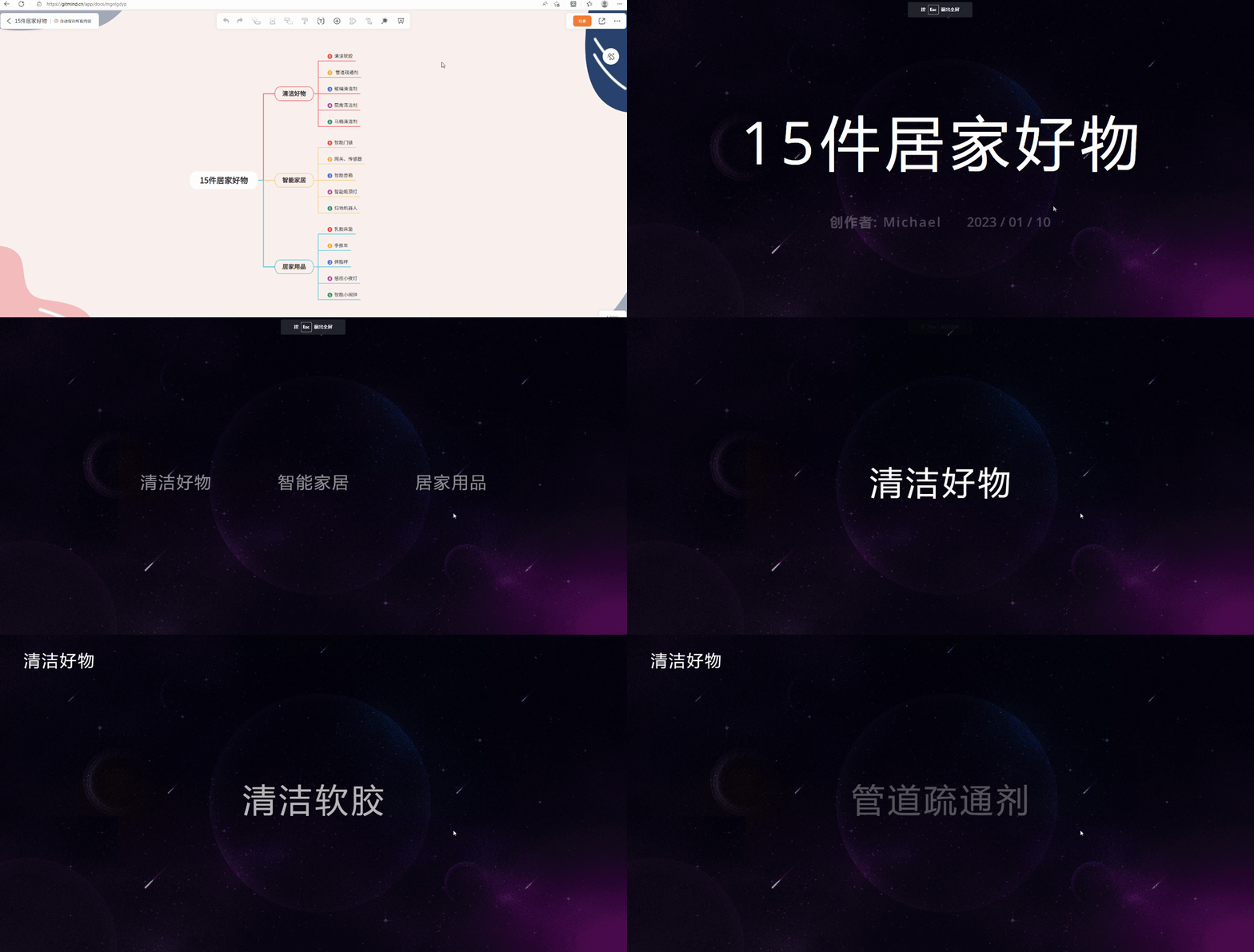
The demonstration mode allows you to present your mind map in an animated and vivid manner. The operation is very simple: just open your mind map and click the “Demonstration” button on the toolbar to start the presentation. During the presentation, you can click on any part of the screen with the mouse to navigate to the next page.
 

9. One-click sharing & exporting

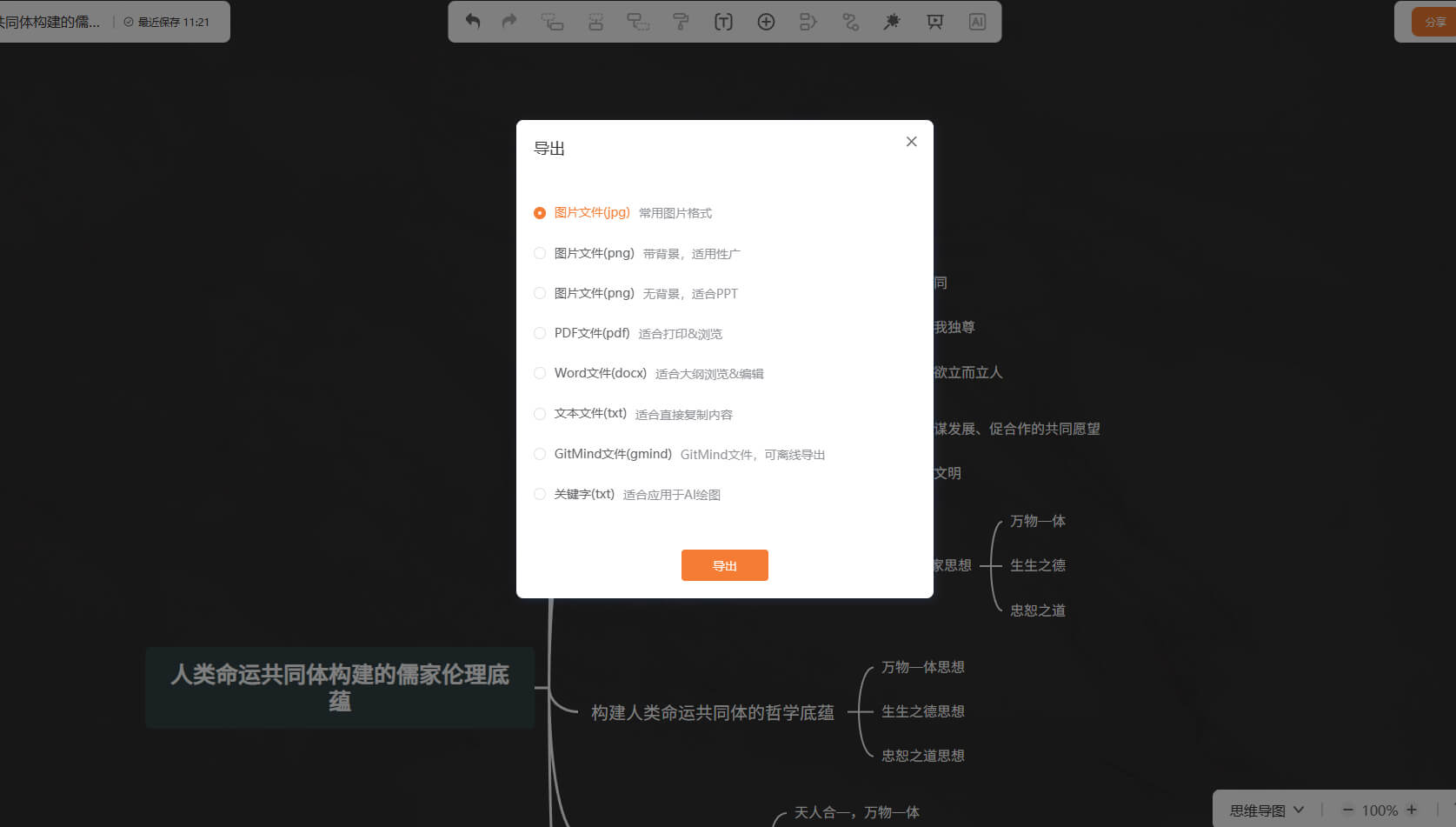
Once you have created your mind map, you can share it with friends by clicking on the sharing link. They can view the content directly upon opening it. You can also export the mind map in JPG or PDF format, making it easy to print out for further use.


Visits:10
Updated:2026-11-07
1
Zlibrary
Zlibrary is known as the world's largest digital library, containing 9,826,996 e-books and 84,837,646 journal articles. From various well-known literary works, science and engineering, humanities and arts, to academic papers, etc.! Support PDF, epu
2
LinkFox AI
AI tools designed for cross-border e-commerce
3
HeyGen
AI-generated digital human videos
4
DuiYou AI
Duiyou is a service platform developed by Alibaba Design to support designers throughout their entire career journey. It builds its capabilities around five key user values—quality, efficiency, skills, achievements, and income—to fully serve designers, with the goal of becoming their trusted partner. Refined through multiple rounds of development by design teams from leading tech companies, Duiyou combines a vast collection of high-quality 3D assets, real-time online rendering, diverse scenario-based applications, a lightweight, easy-to-learn, and user-friendly interface. It also comes with free, commercially usable features, providing professional designers, marketing specialists, students, beginners, and social media influencers with a zero-cost online design platform and resource library.
5
PixPix
Generation of AI-based e-commerce templates and videos
6
Riffusion
Generative AI musical instruments enable the creation, remixing, and sharing of high-quality songs based on textual prompts.
7
PDF Converter
Free online tool for converting and editing PDF files.
8
OptimizerAI
The AI sound effect generator is capable of generating an unlimited number of high-quality sounds based on text or audio input.
9
StockTune
StockTune provides AI-generated royalty-free music for content creators to use without attribution.
10
A Cost-Effective Guide to Living a Better Life: HowToLiveBetter
Which membership services on my phone are automatically deducting fees from my account? Is the password for my main email address the same as that used on other websites? In the rental contract, when exactly will the deposit be refunded? Each of these issues, taken separately, is not particularly complicated. However, without anyone reminding you, it’s very easy to make mistakes. Today, I’d like to share a GitHub repository with 60.5k stars…
1
Zlibrary
Zlibrary is known as the world's largest digital library, containing 9,826,996 e-books and 84,837,646 journal articles. From various well-known literary works, science and engineering, humanities and arts, to academic papers, etc.! Support PDF, epu
2
LinkFox AI
AI tools designed for cross-border e-commerce
3
HeyGen
AI-generated digital human videos
4
DuiYou AI
Duiyou is a service platform developed by Alibaba Design to support designers throughout their entire career journey. It builds its capabilities around five key user values—quality, efficiency, skills, achievements, and income—to fully serve designers, with the goal of becoming their trusted partner. Refined through multiple rounds of development by design teams from leading tech companies, Duiyou combines a vast collection of high-quality 3D assets, real-time online rendering, diverse scenario-based applications, a lightweight, easy-to-learn, and user-friendly interface. It also comes with free, commercially usable features, providing professional designers, marketing specialists, students, beginners, and social media influencers with a zero-cost online design platform and resource library.
5
PixPix
Generation of AI-based e-commerce templates and videos
6
Riffusion
Generative AI musical instruments enable the creation, remixing, and sharing of high-quality songs based on textual prompts.
7
PDF Converter
Free online tool for converting and editing PDF files.
8
OptimizerAI
The AI sound effect generator is capable of generating an unlimited number of high-quality sounds based on text or audio input.
9
StockTune
StockTune provides AI-generated royalty-free music for content creators to use without attribution.
10
A Cost-Effective Guide to Living a Better Life: HowToLiveBetter
Which membership services on my phone are automatically deducting fees from my account? Is the password for my main email address the same as that used on other websites? In the rental contract, when exactly will the deposit be refunded? Each of these issues, taken separately, is not particularly complicated. However, without anyone reminding you, it’s very easy to make mistakes. Today, I’d like to share a GitHub repository with 60.5k stars…
