
Ankon AI
Turning a topic into a whiteboard explanation video
Introduction
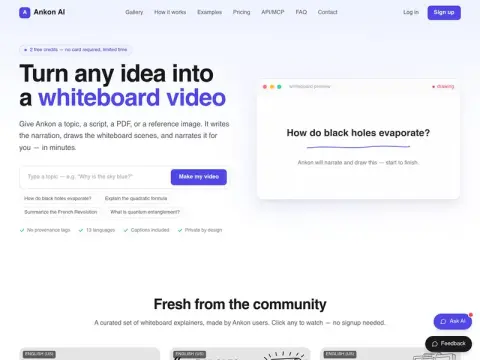
Ankon is capable of presenting a complex topic through a series of animated slides. For example, when you enter the question “How do black holes evaporate?”, it will generate its own narration, draw the corresponding slide images step by step, and provide accompanying explanations.
The input can be a topic, a pre-written script, a PDF file, or an image for reference. The visual display uses a hand-drawn style with lines drawn one by one, and this effect is synchronized with the audio narration. The video comes with subtitles that are burned directly into the video file, as well as SRT files. It also includes a title, a brief introduction, and chapter timestamps. The system supports 13 different languages; by recording just 10 seconds of audio, users can use their own voice to speak in any of these languages.
The billing system is such that 1 point is equivalent to 1 minute of video production time; in case of rendering failure, the cost will be automatically refunded. New users are granted 2 free points, and there is no need to link a credit card for use. Additionally, API and MCP services are also available. The style is fixed as whiteboard hand-drawn illustrations, which make it very suitable for creating educational content or conducting course explanations. If you need real-shot footage or visually stunning animations, you will have to look elsewhere.
I want to create a continuous narrative rather than individual shots.TVLabThere is a serial short-story novel that is updated chapter by chapter. The character settings and storyboard scripts can be copied with just one click, making it very convenient to use such video tools for creating consecutive episodes.
Related