Snipaste
Snipaste is a simple yet powerful screenshot tool that also supports the ability to paste images directly onto the screen. This makes it much more convenient for you to view the captured images, thereby significantly improving your work efficiency. Download and open Snipaste, press F1 to start taking a screenshot, and then press F3 to save it.
Introduction
Snipaste is a simple yet powerful screenshot tool that also supports the ability to paste images directly onto the screen. This makes it much more convenient for you to view the captured images, effectively enhancing your work efficiency.
Download and open Snipaste. Press F1 to start taking a screenshot, and then press F3 to make the screenshot appear at the top of the desktop. That’s all there is to it!
Snipaste is a free software that contains no advertisements and is compatible with both Windows and Mac operating systems. In addition to being available for download from its official website, it has also been listed in the Microsoft App Store, where users can search for it and download it directly.
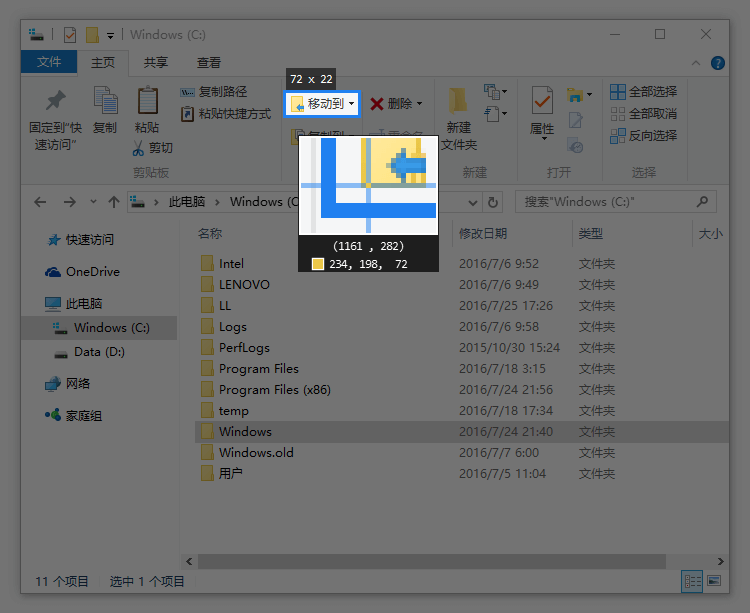
Powerful screenshot functionality
- Automatically detect the area containing interface elements
- Pixel-level control over mouse movements and the selection of screenshot areas
- Color picker (you can try using F1, C, or F3).
- History playback (,/.)
- Supports multiple screens.
- Supports high-resolution screens.
Display the image as a pinned window.
- It is possible to convert the following content from the clipboard into images.
- image
- plain text
- HTML text
- Color information
- Image files: PNG, JPG, BMP, ICO.GIFand so on
- Operations available in the image window
- Zoom in/out (using the mouse wheel or the +/- keys)
For GIF images, this function is used to speed them up or slow them down. - Rotation (1/2)
For GIF images, it refers to the previous frame or the next frame. - Image flipping (3/4)
- Set the transparency level (Ctrl + scroll wheel or Ctrl + +/-).
- Mouse penetration: use X; to cancel, press F4.
- Thumbnail (Shift + double-click)
- Image Annotation (Space Bar)
- Hide (double-click with the left mouse button)
- …
- Zoom in/out (using the mouse wheel or the +/- keys)
- Pick Color (Alt)
- File drag-and-drop
- Texture grouping
- Automatic backup and recovery
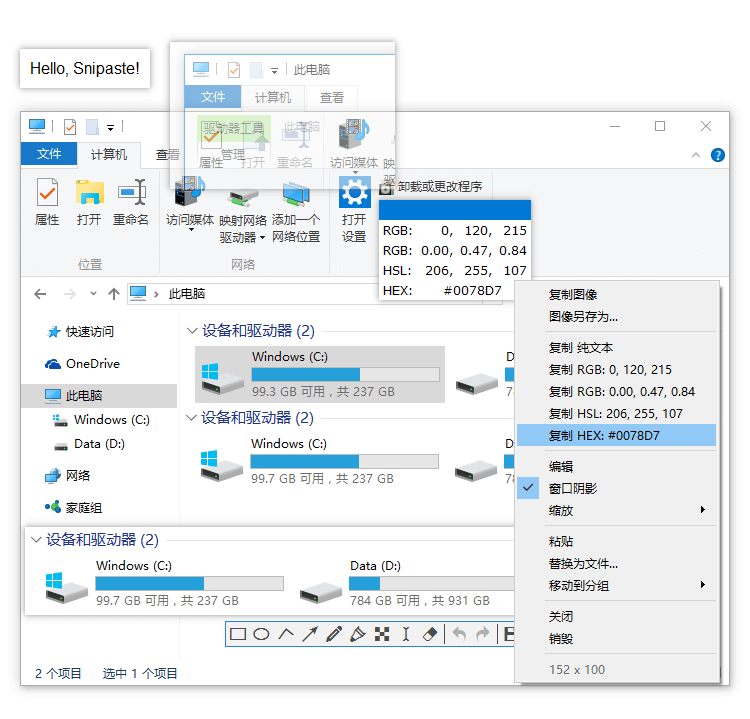
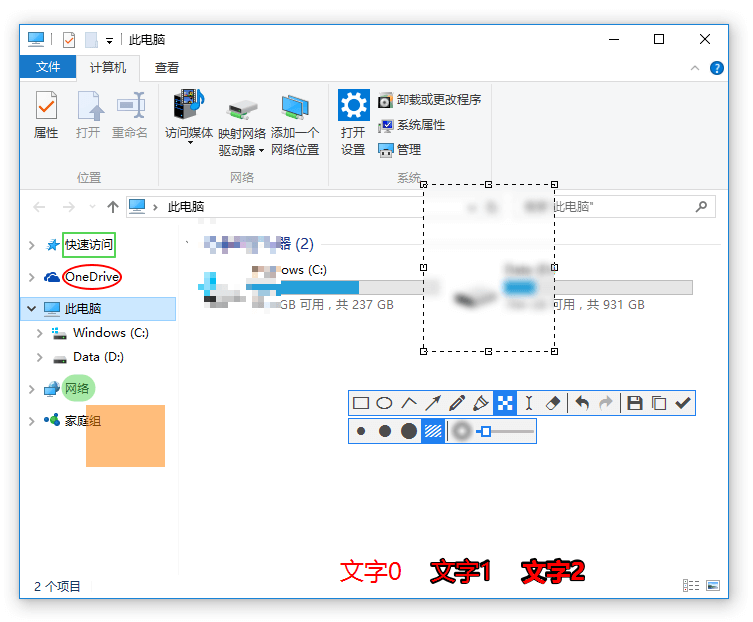
Facilitate the annotation of images.
- A rich set of drawing tools
- rectangle
- ellipse
- lines
- arrow
- pencil
- marker pen
- text
- Advanced Annotation Tool
- mosaic
- Gaussian blur
- eraser
- Cancel and redo
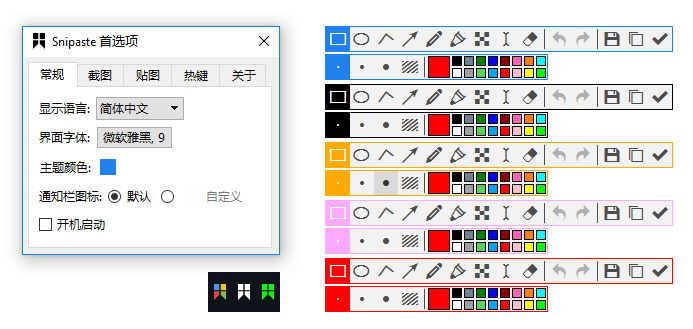
Custom settings
- Theme color, interface fonts, notification bar icons, etc.
- shortcut key
- A wide range of functional options
- Are there any other options you would like? Please let me know.
Disadvantages:The only drawback of the free version of Snipaste, in my opinion, is that it does not support taking long screenshots. If you have additional requirements, you can always consider purchasing its paid version.
Buy the paid version at a 10% discount: https://store.lizhi.io/site/products/id/273?cid=dx1uvity