BuildCores
BuildCores is a web-based 3D interactive PC building simulator. Users can select parts from a huge range of components—like Lego—and “place them into the case,” then view them from any angle, with zoom/rotate support, RGB lighting layout display, and airflow preview. See real-scale
Introduction
BuildCores is a web-based interactive 3D PC-building simulator. Users can choose parts from a huge selection of components and “place them into the case” like Lego bricks, viewing the build from any angle. It supports zooming and rotating, shows RGB lighting layouts and airflow previews, and lets you see a true-to-scale 3D build.
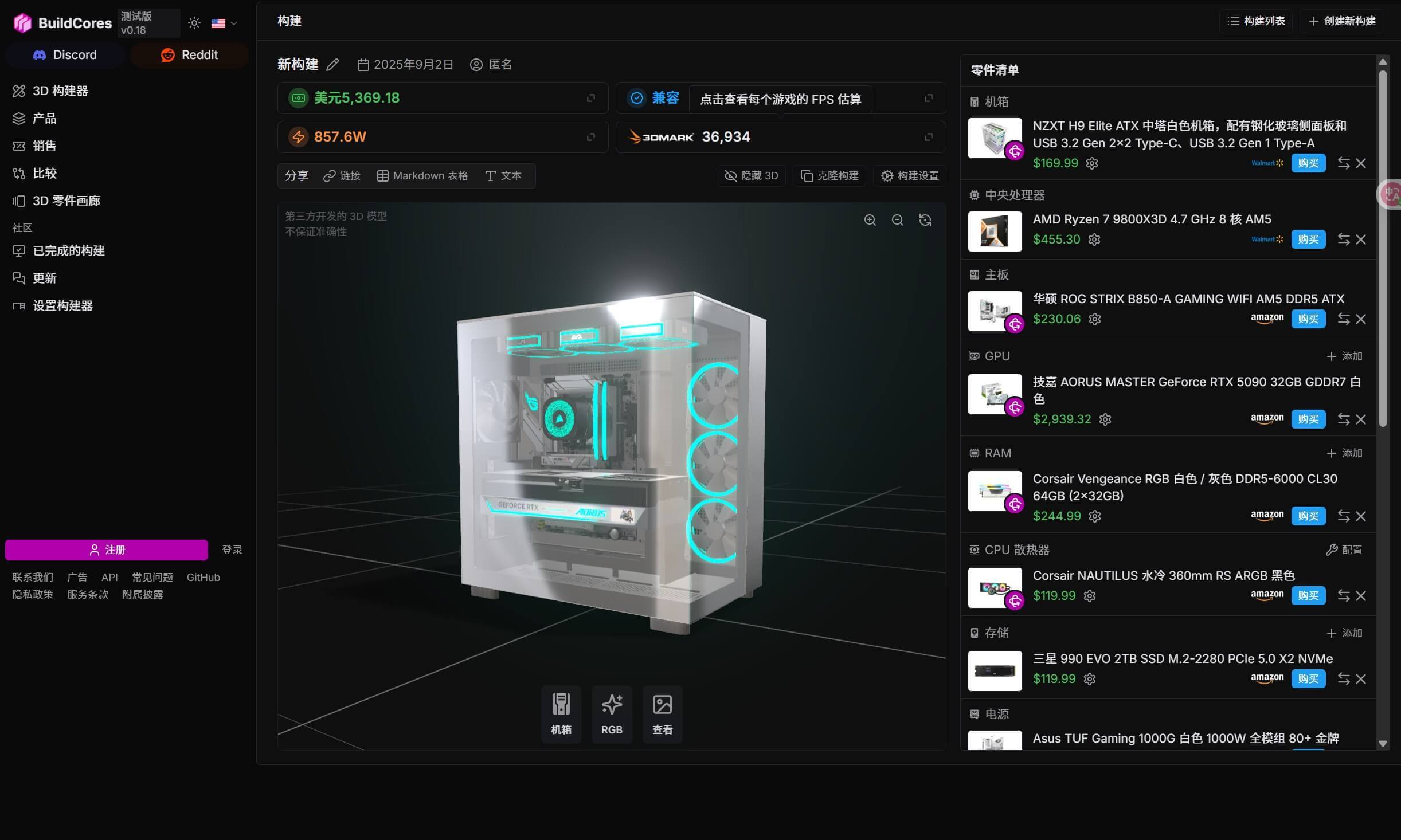
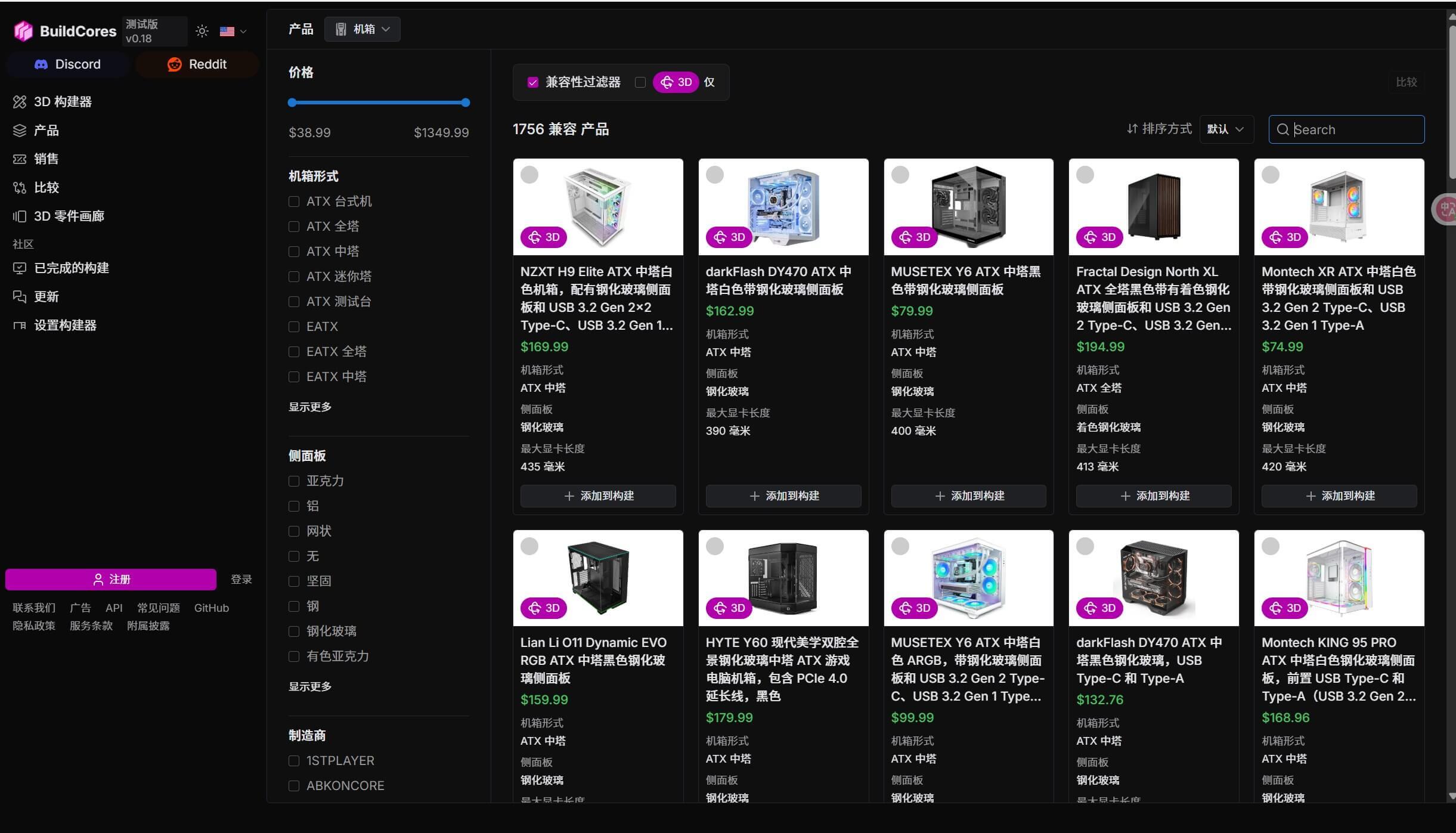
This website includes a large number of parts and specifications for components such as cases, CPUs, GPUs, motherboards, and fans, and it promptly updates with the latest parts.
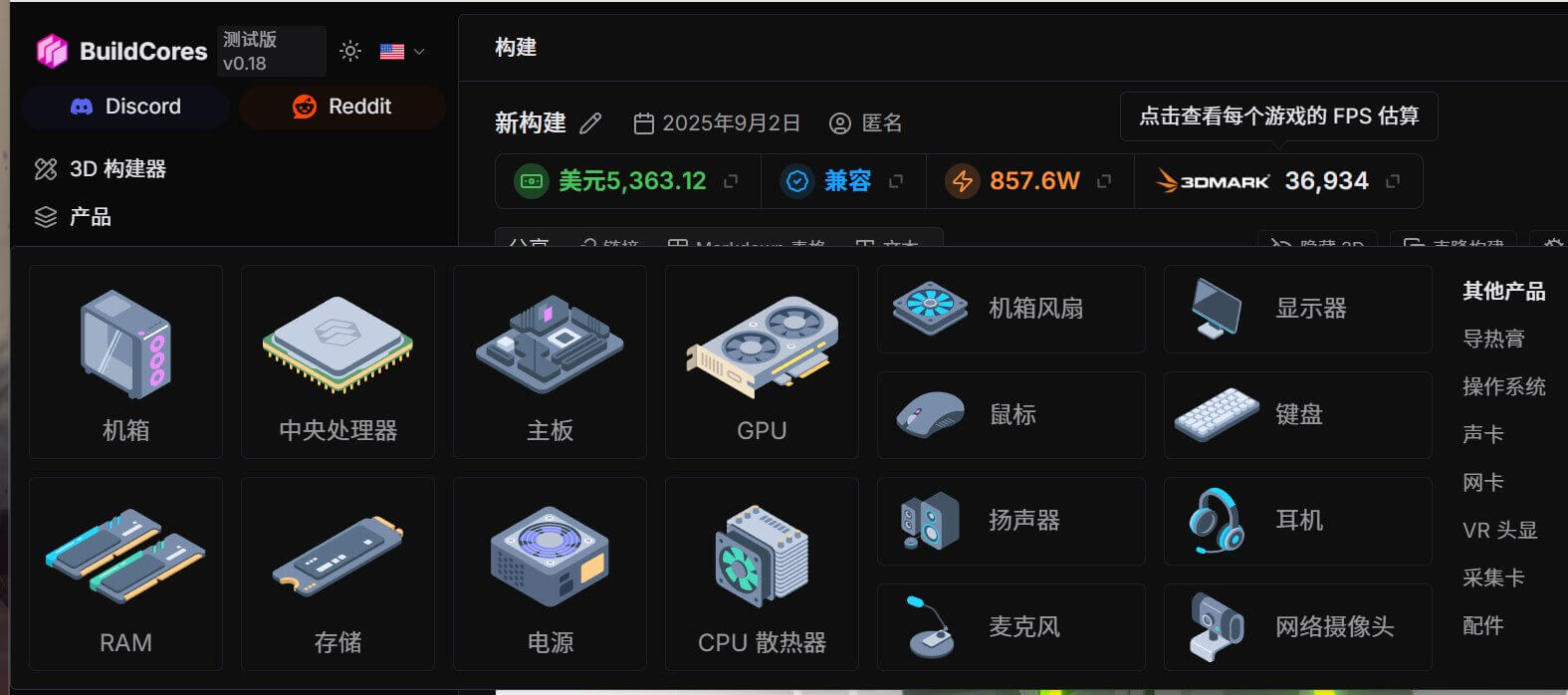
Start by choosing a case you like, then select in order: Case → Motherboard → CPU → Graphics Card → Memory → Storage → Cooling → Power Supply → Fans/Accessories. Each time you choose a component, you’ll see its 3D model automatically assembled on the right/in the view, along with a compatibility check.
Finally, you can export the configuration table with just one click!!
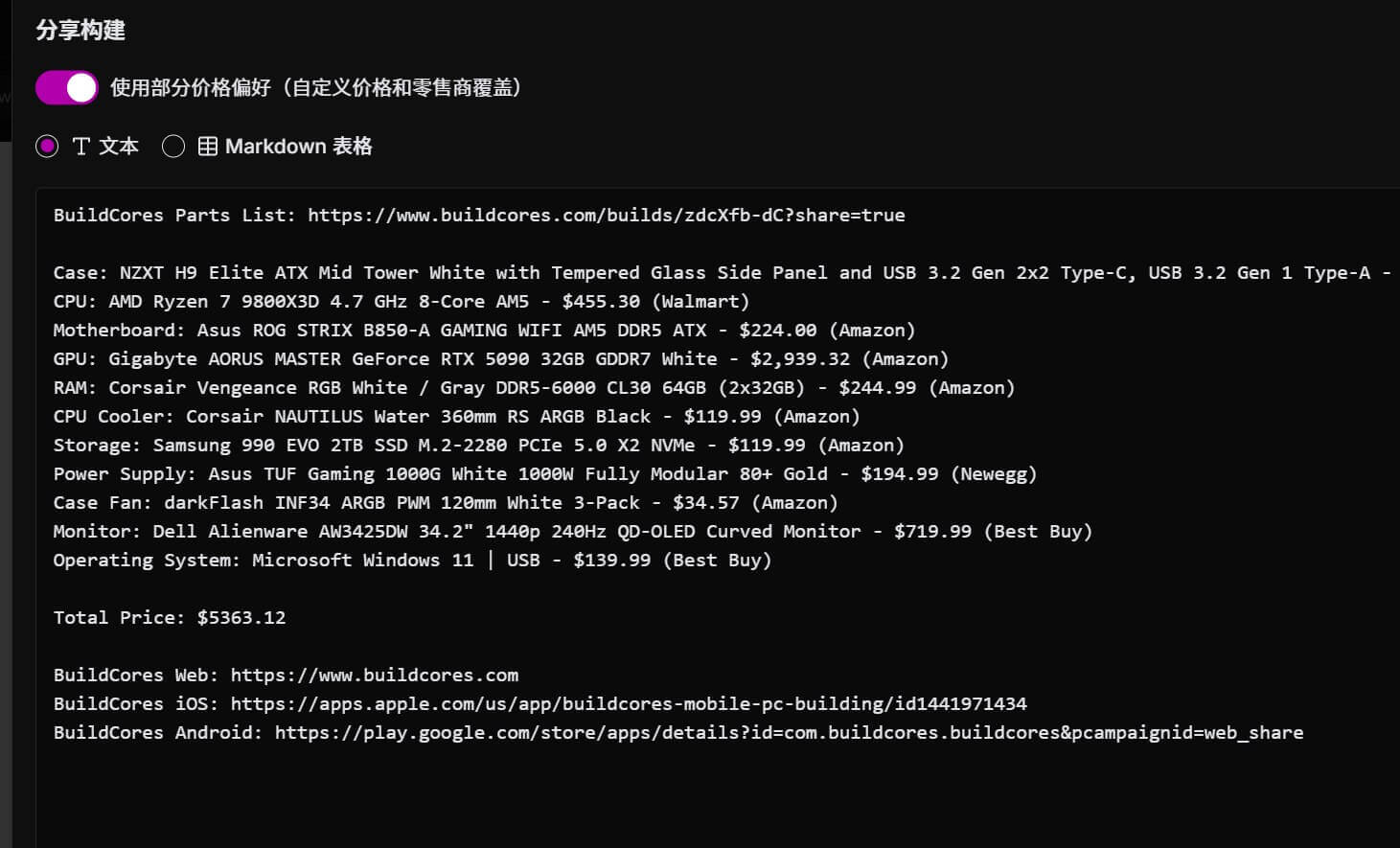
The downside of this website is that it’s a foreign, all-English site, and the prices it scrapes from mainstream retailers are mostly from overseas as well, so they aren’t useful as a reference for the domestic market.