
AI image segmentation (PixPix)
Browser-based local AI image segmentation technology
Introduction
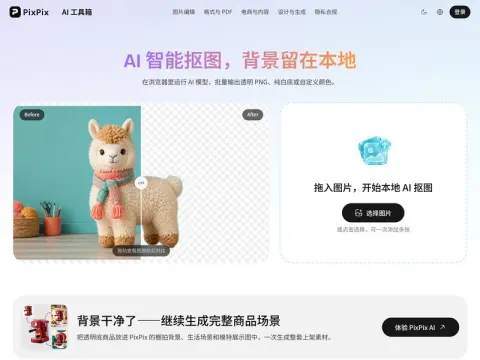
The image-editing tool runs within the browser; the model performs its processing directly on the local device, without any data being transmitted through a server.
Two different model options are available. The lightweight version occupies 4MB of space and is sufficient for processing product images or ID photos with clear edges, causing minimal strain on an ordinary laptop. The high-definition version, meanwhile, takes up 43MB of memory. While it performs well when dealing with complex edges such as those found in hair, fluffy materials, or semi-transparent gauze, it comes at the cost of slower initial loading times and higher memory consumption. In practice, it is recommended to use the lightweight version to process all images initially, and then manually select those with problematic edges and reprocess them using the high-definition version.
The background can be a transparent PNG image, a pure white background, or any custom color. The output will maintain the original image size, with no watermarks added and no daily usage limits. You can set these options uniformly for multiple files at once, and the results can be compressed into a ZIP file.
When a white shirt is placed against a white wall, or when a light gray cat is placed next to a light gray sofa, the edges of these elements tend to become blurred, and the darker shadows may be mistakenly identified as the main subjects of the image. The same issue occurs even when using high-resolution images; close inspection is necessary. For creating product thumbnails in e-commerce, finding transparent materials, or processing large amounts of data that cannot be easily shared, this tool is quite useful. However, for detailed retouching of individual images, it is still necessary to use professional software.