
ID Photo Creation (PixPix)
Standard Specifications: AI Background Replacement
Introduction
Just to get a one-inch photo with a white background, I had to make a trip to the photo studio—it cost a few dozen yuan and took half a day. A quick selfie on my phone, edited a bit here and there—that’s usually good enough for most situations.
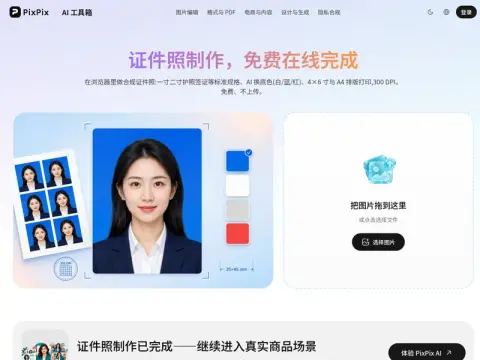
Three-step process: Select the size, drag, pan, and zoom to position the photo correctly, then download. The app includes built-in sizes for ID photos commonly used in China, the U.S., and Europe—including 1-cun, 2-cun, passport, and visa sizes—and allows you to customize dimensions in millimeters. It outputs true 300 DPI resolution, rather than simply stretching a small image to print size as a workaround. Choose from four background colors—white, blue, red, and gray—and the background removal runs directly in your browser.
The way to save money is in the layout: You can directly export a 4×6-inch or A4 layout with crop lines, take it to any photo shop, and print each copy for just a few yuan. Cut them out, and you’ll have a whole stack—much cheaper than printing individual photos.
Be sure to double-check before submitting.
The size, background color, and head-to-body ratio requirements for ID photos vary by country, document type, and issuing agency, and are frequently updated. The presets in this tool are for common specifications; before officially submitting your application, be sure to check the latest requirements on the application page and verify that the DPI and actual dimensions in millimeters match before printing. For documents like visas and passports—where a single rejection means starting over—it’s well worth spending an extra two minutes to double-check.
Also, there are certain aspects of the photo shoot that the tools can’t control: facing the camera directly, ensuring even lighting, not wearing a hat or tinted glasses, and maintaining a natural expression—you’ll need to make sure you get these right on your own.