
Aisma
There’s no need to reshoot it; just modify the already-recorded video with one sentence.
Introduction
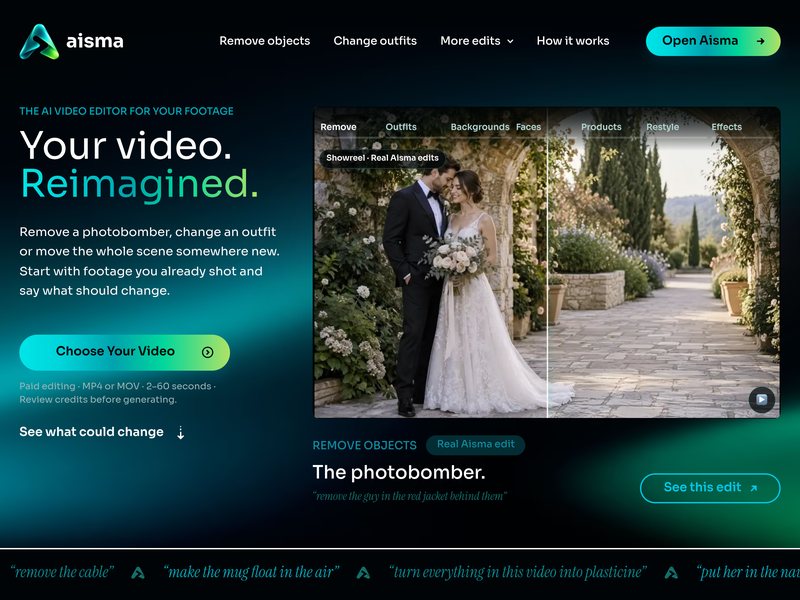
Aisma is an AI editor designed for modifying “already recorded videos.” Simply upload an MP4 or MOV file ranging in length from 2 to 60 seconds, and describe in natural language what you would like to change: remove pedestrians from the video, replace the clothing or background, replace the products appearing in the footage, or entirely alter the style of the video.
Its selling point lies in the fact that it preserves the original composition and audio, eliminating the need to manually create masks or set keyframes. If additional reference materials are needed, a maximum of 10 images can be uploaded; the final output video should be in 720p or 1080p resolution.
This is a paid tool that charges based on the number of credits used. Before generating the final video, it will clearly indicate how many credits are required. It is particularly useful for those who create social media videos, advertisements, or e-commerce promotional content. It can come in handy when you discover a mistake in the footage and don’t want to re-shoot the entire scene.
Before using it to create vertical-format short dramas, you can first check in TVLab how popular shows on similar themes begin and at which episode the plot takes a turn. Then, select an inspiration card that already contains a detailed breakdown of the scenes and use it as a guide to generate each sequence one by one, based on the camera angles specified in the card.
Related