
BigJPG
Lossless Image Upscaling Tool
Introduction
Bigjpg – Image Super-Resolution for Anime-style artworks using the Deep Convolutional Neural Networks without quality loss. Photos are also supported.
BigJPG Overview and Key Features
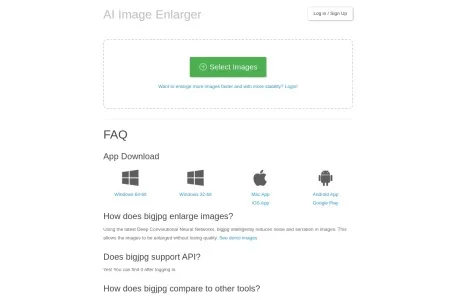
BigJPG is an image lossless upscaling tool developed based on deep learning technology. It uses the latest artificial intelligence deep learning technology, especially Deep Convolutional Neural Networks (based on waifu2x), to intelligently repair noise and aliasing in images, achieving high-quality lossless upscaling. The core function of BigJPG is to accurately upscale images while maintaining the integrity of colors and details, delivering excellent upscaling results for anime, illustrations, and regular photos alike.
BigJPG Features
BigJPG's features are mainly reflected in the following aspects:
1. Lossless Upscaling: Advanced neural network algorithms are used to carefully optimize the lines, colors, and textures of upscaled images, ensuring vivid colors and sharp edges while avoiding common issues such as jagged artifacts and ghosting.
2. Cross-platform support: Available as a web version, Windows and macOS desktop clients, an Android mobile app, and a WeChat Mini Program that requires no installation, allowing users to use it easily across different devices.
3. Multiple upscaling options: Supports image uploads up to 10 MB and 3000 x 3000 px, with multiple upscaling ratio options available up to 16x. Users can flexibly adjust the magnification level based on their actual needs.
4. Offline upscaling and upscaling history: For registered users, BigJPG also offers offline upscaling, which is faster and supports larger batches. The software also saves your upscaling history, making it easy to review and compare upscaled results at any time.
5. Privacy Protection: Both uploaded images and upscaled images are automatically deleted, so users don’t need to worry about privacy leaks.
Who Is BigJPG For?
BigJPG is suitable for a wide range of users with high image quality requirements, including but not limited to:
1. Designer: When working on high-resolution print projects, BigJPG can upscale design files to ensure crisp, detailed print results.
2. Photographers: When enlarging photos, BigJPG preserves image quality and prevents degradation, making photographers’ work stand out when exhibited or sold as high-quality prints.
3. Anime fans: They often need to upscale anime images and illustrations, and BigJPG's upscaling technology ensures that image details and colors remain true to the original.
4. General users: For general users who need to enlarge small images for viewing or use, BigJPG is also a very practical tool.
BigJPG Usage FAQs
When using BigJPG, users may encounter some common issues. Below are some possible answers:
1. Upload limits: The free version supports image uploads up to 3000×3000 pixels and 5 MB, while paid users can upload up to 50 MB. If an uploaded image exceeds these limits, it cannot be processed.
2. Processing speed: Processing time varies depending on the original image size and upscaling settings. Usually, the actual processing time is much shorter than the estimated time. If upscaling fails, it may be due to network conditions or too many online users; users are advised to try again.
3. Privacy Protection: Uploaded images and upscaled images are automatically deleted. Image links are encrypted, so unless the user actively shares them, others cannot view the images.
4. Offline Upscaling: For registered users, BigJPG offers offline upscaling, which is faster and supports more images. Users can download images to their local device while connected to the internet and then upscale them locally.
5. Paid vs. Free: BigJPG offers both free and paid membership plans. Free users can access basic upscaling features, while paid users can enjoy higher upscaling levels, faster processing speeds, and a larger upload quota. Users can choose the membership plan that best suits their needs.
Related