
Quivr
Knowledge base construction tool
Introduction
An overview of Quivr
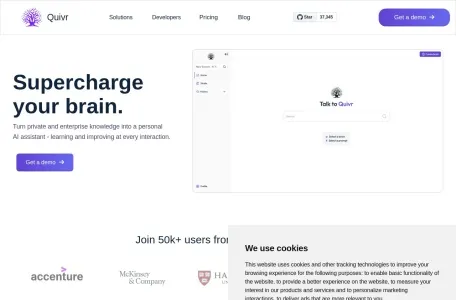
Quivr is an intelligent assistant platform that utilizes advanced generative AI technologies to provide users with personalized services. Its purpose is to help users manage and access their personal documents and applications more efficiently. By integrating AI technologies such as Langchain, GPT 3.5/4 Turbo, Private, Anthropic, VertexAI, and Ollama, Quivr enables seamless interaction with various types of documents (such as PDFs, CSV files, databases, etc.) and applications. Essentially, Quivr can be considered a user’s “second brain” – it intelligently analyzes and categorizes unstructured data from different sources, including documents, images, videos, and code snippets, thereby providing users with an efficient and secure platform for storing and retrieving information.
The main functions of Quivr
The main functions of Quivr include, but are not limited to:
Seamless integration with a wide range of documents and applications: including files, applications, APIs, databases, and more.
Fast Interaction: Rapid interaction with personal documents is made possible through large-scale language models.
Direct interaction: Supports direct communication with AI models such as GPT-4 and Mistral.
Custom integration: Allows users to add their own functions as needed.
The characteristics of Quivr
The main features of Quivr are reflected in the following aspects:
Efficiency: Speed and efficiency were taken into full consideration during the design process, ensuring that users can access and process data quickly.
Security: User data is entirely under the user’s control, and an offline mode is available to ensure the security and privacy of the information.
Compatibility: It supports a variety of operating systems and file formats, including Ubuntu 22 or later versions, as well as text, Markdown, PDF, PowerPoint, Excel, CSV, Word, audio, and video files.
Open-source nature: Quivr is an open-source project that is available for users to use free of charge. Users can customize and extend it according to their needs.
Flexibility: Both public and private modes are supported, allowing users to choose whether to share or keep their knowledge bases confidential depending on their needs.
The target audience for Quivr
Quivr is suitable for the following groups of people:
Individual users can use Quivr to manage their personal notes, documents, learning materials, etc., and utilize the AI assistant to quickly search for and create content.
Enterprise users: It can be used for managing team knowledge bases, supporting collaborative efforts among multiple users and enabling access control measures to ensure the security and privacy of data.
Researchers: There is a need to quickly locate specific experimental results or manage large amounts of research data.
Professionals in the workplace: desire to quickly locate important meeting minutes or project documents.
Frequently Asked Questions about Quivr
Since I cannot directly access Quivr’s user feedback channels or official support resources, I am unable to provide specific answers to common questions. Nevertheless, based on the functions and features of Quivr, here are some potential common issues and general suggestions for resolving them:
How to get started using Quivr?
Solution suggestions: First, users need to visit Quivr’s official website or relevant channels to register and log in. Then, by following the official documentation or guidance tutorials, they can learn about Quivr’s basic functions and operation methods, and begin uploading and managing their own documents and applications.
What file formats are supported by Quivr?
Solution suggestion: Quivr supports a variety of file formats, including text, Markdown, PDF, PowerPoint, Excel, CSV, Word, as well as audio and video files. Users can upload and manage these files according to their own needs.
How can we ensure the security of data?
Suggestion: Quivr places great emphasis on the security of user data and offers a system for data protection that is entirely under the control of the users themselves. Users can choose to store their data locally or in the cloud, and they can set appropriate permissions and encryption measures to ensure the security and privacy of their information. In addition, Quivr also supports offline mode, allowing users to access and use their data even when there is no internet connection available.
To what extent is Quivr customizable?
Suggestion: Quivr is a highly customizable platform. Users can add or remove features according to their own needs, and adjust the layout and design of the interface as well. In addition, Quivr supports integration with a variety of AI models, allowing users to choose different AI technologies based on their specific requirements in order to enhance their experience when using the platform.
Please note that the above suggestions are for reference only. For specific usage issues and solutions, it may be necessary to refer to Quivr's official documentation or seek user support.