Introduction
ChatGPT for charts and diagrams.
Overview of ChartAI
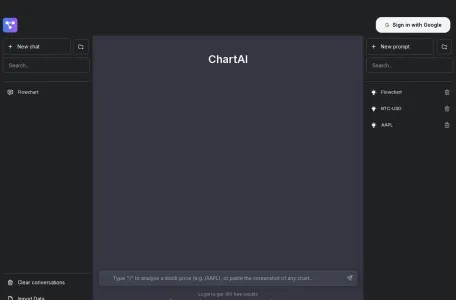
ChartAI is an artificial intelligence-driven diagramming application designed to provide users with convenient and efficient tools for generating charts and conducting data analysis. It utilizes AI algorithms to predict market trends and analyze data, enabling users to quickly gain valuable insights into market dynamics.
Main functions of ChartAI
The main features of ChartAI include:
1. Instant chart generation: Users simply need to provide the necessary instructions or data, and ChartAI will promptly generate the corresponding charts.
2. Personalized data analysis: Based on the specific needs of users, customized data analysis services are provided to help them gain a deeper understanding of the meaning underlying the data.
3. Integration with Telegram: Users can directly use ChartAI within the Telegram chat interface, without the need to switch between applications – this greatly enhances convenience.
Features of ChartAI
The main features of ChartAI include:
1. High degree of integration: ChartAI is tightly integrated with instant messaging tools such as Telegram, allowing users to generate and share charts directly during conversations.
2. User-friendliness: The design of ChartAI enables even non-professional users to easily perform complex data analyses, without the need for any specialized skills in creating charts.
3. AI-powered technical analysis: Utilizing AI algorithms for market trend prediction and data analysis, to provide users with more accurate insights into the market.
Target users of ChartAI
ChartAI is primarily suitable for the following user groups:
1. Cryptocurrency Traders: Those who need real-time market data and chart analysis for their trading activities.
2. Financial Analyst: Professionals who conduct market research and trend analysis.
3. Investment enthusiasts: Individual investors who are interested in the cryptocurrency market.
4. Tech Enthusiasts: People who are interested in AI technology and data visualization.
Frequently Asked Questions about ChartAI
Regarding common questions about using ChartAI, it should be noted that specific issues and their solutions may vary depending on the user’s environment and operating habits. Therefore, the following are some general suggestions:
1. Chart generation failed: Please check whether the format of the input data is correct and ensure that the data meets ChartAI’s processing requirements. Additionally, verify that your network connection is stable, so that ChartAI can access and process the data without any issues.
2. Personalization settings: If users are unable to adjust parameters such as chart type and time range according to their own requirements, they can refer to ChartAI’s official documentation or help center to learn about the relevant setup methods and steps.
3. Compatibility Issues: If users encounter compatibility problems when using ChartAI on specific devices or operating systems, they can try updating their devices or operating systems to the latest versions, or contact ChartAI’s customer service for assistance.
Please note that since I cannot directly access ChartAI’s user feedback or technical support systems, the issues and solutions mentioned above are for reference only. In actual use, users should conduct investigations and resolve problems based on their specific circumstances.