Introduction
An overview of “Napkin”
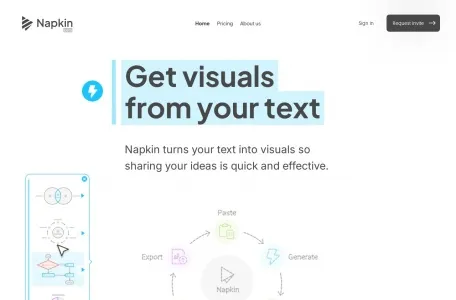
Napkin is an AI-based office tool that enables quick conversion of text content into visual presentations. Users simply need to paste the text, and Napkin will automatically generate relevant visual materials, which can be further edited to meet individual needs. Its purpose is to assist in various stages of content creation, including presentation development, revision, and storage.
The primary function of a napkin is...
The main functions of a napkin include:
1. Conversion from text to visual elements: Napkin is capable of directly generating relevant visual effects based on the text input provided by users.
2. One-click generation: When the user clicks the generate button, the system will recommend the most appropriate visual image based on the content of the text.
3. Fully editable: The generated images allow users to adjust both the content and style in order to maximize their impact.
4. Abundant icons and decorative elements: A library of icons and various decorative items is available, allowing users to add or replace them as needed.
5. Dynamic connections: Supports the dynamic linking of elements, making it easy to create flowcharts or other visual components that require connections.
6. Color and font selection: A variety of color schemes and font styles are available to meet different visual and content requirements.
7. Multiple format exports: It allows images to be exported in PNG, PDF, or SVG formats, enabling convenient use on various platforms.
The characteristics of napkins
The main characteristics of napkins include:
1. Efficiency: It enables rapid conversion of text content into visual images, thereby enhancing the productivity when creating documents and presentations.
2. Creativity: The generated images feature unique styles and modern designs, which help enhance the appeal of the content.
3. Flexibility: A wide range of customization options are available to meet the individual needs of users.
4. Ease of use: A user-friendly interface and convenient operation allow even users without any design experience to easily get started.
The target audience for Napkin
Napkins are suitable for a wide range of scenarios and user groups, including but not limited to:
1. Content creators – such as writers, bloggers, or content planners – need to present complex concepts or information in a visual form.
2. Business professionals: Such as managers and analysts, who need to use charts and infographics in business presentations, reports, or strategic planning activities.
3. Educators: Such as teachers or trainers, who need to create teaching materials or explain complex concepts in order to enhance students' interest in learning and their ability to understand the material.
4. Designer: Look for a visual designer who can quickly create preliminary design concepts or sketches.
5. Marketers: Professionals who need to utilize appealing visual elements on social media and in other marketing materials in order to enhance the influence of their brands.
6. Product Managers: Those who need to quickly create product demonstrations, user flowcharts, or functional descriptions.
Common Issues When Using Napkins
Since Napkin is a relatively new AI tool, common issues that users may encounter when using it include, but are not limited to:
1. How to make the most of Napkin’s customization features: Although Napkin offers a wide range of customization options, users may need some time to get familiar with and master these functions in order to achieve the best results when using them for creative purposes.
2. How to handle complex design requirements: For certain highly complex or specific design needs, Napkin’s flexibility and creativity may be insufficient. In such cases, users may need to combine it with other design tools or seek the assistance of professional designers.
3. How to ensure the quality of the generated images: Although Napkin is capable of automatically producing high-quality visual images, users still need to pay attention to the quality and accuracy of the text provided as input, in order to ensure that the resulting images accurately convey the intended information.
Please note that the actual usage experience of Napkin and the potential issues that users may encounter can vary depending on their specific needs and operating environments. Therefore, the information mentioned above is for reference only. If users face any particular problems during use, it is recommended that they refer to Napkin’s official documentation or contact its customer service for more detailed assistance and guidance.