Introduction
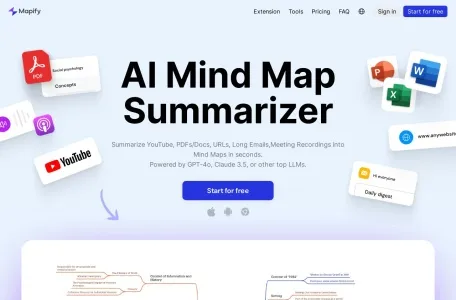
Mapify is a powerful AI-powered mind mapping tool that can transform various types of content—including PDF files, Word documents, PowerPoint presentations, YouTube videos, and images—into clear, well-structured mind maps within just minutes.
Introduction to Mapify
Mapify is a mind mapping tool developed by Xmind. By utilizing AI technology, it helps users effortlessly convert any type of content into mind maps. Whether it’s documents, videos, or simple notes, Mapify can quickly generate mind maps, thereby enhancing users’ productivity and creativity.
Main functions of Mapify
1. AI-generated content: Mapify utilizes AI technology to quickly create mind maps from documents, videos, or simple prompts, making information organization much more efficient. Simply upload or enter the content, and the AI will automatically analyze it and generate a well-structured mind map, eliminating the need for manual drawing.
2. Support for a variety of formats: Mapify allows users to import files in various formats, including PDF, Doc, websites, YouTube videos, long texts, images, and audio files – thus meeting the needs of different scenarios. Users can transform meeting minutes, study notes, or even casual brainstorming ideas into intuitive mind maps.
3. AI-assisted design: With the help of AI tools, users can create and refine their mind maps, thereby designing personalized masterpieces.
4. Real-time interaction: Mapify incorporates AI-based chat interfaces, real-time web access, and text-to-image conversion functions, all of which enhance the efficiency of the working environment.
Features of Mapify
1. Efficiency: Mapify enables the rapid conversion of complex information into clear, structured mind maps, thereby significantly enhancing the productivity of both individuals and professionals.
2. Flexibility: It supports a variety of input formats, including documents, web pages, videos, audio files, etc., thus meeting the needs of users in different scenarios.
3. Personalization: Offers AI-assisted design tools to help users create personalized mind maps.
4. Real-time collaboration: Supports team collaboration, allowing users to share and edit mind maps in real time with others.
5. Scalability: Adhering to a user-centered design philosophy, Mapify possesses excellent scalability. As users' needs continue to evolve, Mapify is constantly updated and upgraded, introducing new features and capabilities to ensure that users always enjoy the best possible experience when using it.
Target users of Mapify
Mapify is suitable for students, professionals, and creative individuals. For students, transforming learning materials into mind maps helps them better understand and remember the information. For professionals and creative workers, Mapify serves as a powerful tool for organizing information, enabling them to improve their work efficiency and creativity.
Frequently Asked Questions about Mapify
Regarding the common issues associated with using Mapify, it is impossible to list them all due to the diversity of possible problems. However, in general, users may encounter the following issues when utilizing Mapify:
1. How to upload or enter content: Users can add content by clicking the corresponding buttons on the Mapify interface, choosing to upload documents, enter text, or paste links.
2. How to create a mind map: After adding content, Mapify will automatically analyze it and generate a mind map. Users can also edit and adjust the mind map according to their own needs.
3. How to share and collaborate with others: Mapify supports team collaboration features, allowing users to share mind maps in real time or invite others to join a team in order to work together on these projects.
4. How to optimize mind maps: Mapify offers an AI-based chat function that helps users improve the quality of their mind maps and provides useful suggestions. Users can also customize the style and layout of their mind maps according to their own preferences.
For answers to specific questions, it is recommended that users refer to Mapify’s official documentation or contact customer service for more detailed assistance.
Related